Claude Mastery - Cowork, Code, Skills and Plugins
About the Course:
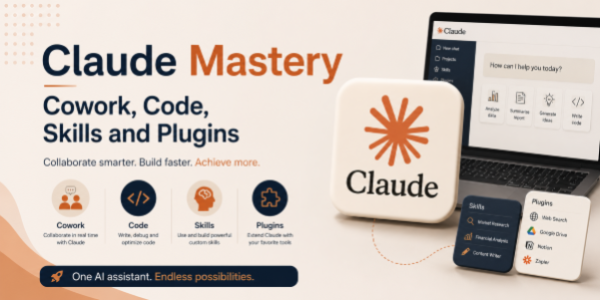
Artificial Intelligence is redefining the way professionals work, collaborate, code, learn, and automate tasks. Claude AI is emerging as a powerful AI assistant capable of supporting productivity, coding, research, content creation, workflow optimization, and intelligent collaboration across multiple industries and professions.
This practical course is designed for professionals, creators, developers, entrepreneurs, and AI enthusiasts who want to master Claude AI and explore its advanced capabilities for coworking, coding assistance, skill enhancement, and plugin-based workflows.
Participants will learn how to use Claude AI as a collaborative work partner for brainstorming, communication, coding support, automation, research, learning, project management, and creative problem-solving. The course also introduces the concept of AI-powered skills, integrations, and plugins that can extend productivity and workflow efficiency.
The course focuses on real-world applications, practical workflows, prompt engineering techniques, and hands-on AI use cases that participants can immediately apply in professional and personal environments.
By the end of the session, participants will have a strong understanding of how to leverage Claude AI effectively for productivity, collaboration, coding, learning, and workflow enhancement.
Course Objectives:
The objective of this course is to help participants understand and effectively use Claude AI to:
- Improve productivity and collaborative workflows
- Use Claude AI for coding support and technical assistance
- Enhance learning, research, and skill development
- Automate repetitive tasks and workflows
- Explore AI-powered integrations and plugin ecosystems
- Improve communication, documentation, and project management
- Develop effective prompt engineering skills
- Use AI responsibly and efficiently across professional environments
The course is designed to provide practical and hands-on knowledge that participants can immediately implement in their daily workflows.
Who is the Target Audience?
This course is ideal for:
- Working Professionals
- Developers and Programmers
- Entrepreneurs and Startup Founders
- Product Managers
- Freelancers and Consultants
- Students and Researchers
- Technical and Non-Technical Teams
- Content Creators and Marketers
- Operations and Productivity Professionals
- AI Enthusiasts and Early Adopters
- Anyone interested in mastering Claude AI workflows
Basic Knowledge:
- No prior AI or advanced technical background is required.
Module 1: Introduction to Claude AI and AI Workflows
- What is Claude AI?
- Understanding Generative AI and AI assistants
- Key capabilities and practical applications
- AI trends transforming work and productivity
- Understanding prompts and AI interactions
Module 2: Coworking with Claude AI
- Using Claude AI as a collaborative assistant
- Brainstorming ideas and solving problems
- Managing tasks, workflows, and productivity
- AI-assisted communication and documentation
- Creating summaries, reports, and meeting notes
- Supporting project planning and execution
Module 3: Coding and Technical Assistance with Claude AI
- Using Claude AI for coding support
- Generating and explaining code snippets
- Debugging and improving code logic
- Assisting with documentation and technical writing
- Learning programming concepts faster
- Supporting automation and scripting workflows
Module 4: Skills, Learning, and Knowledge Enhancement
- Using Claude AI for learning and research
- Creating study notes and learning plans
- Simplifying complex concepts and information
- AI-assisted skill development workflows
- Improving creativity, analysis, and problem-solving
- Organizing information and knowledge efficiently
Module 5: Plugins, Integrations, and Advanced Workflows
- Understanding AI plugins and integrations
- Exploring workflow automation possibilities
- Connecting AI with productivity tools and platforms
- AI-assisted content and workflow management
- Building efficient AI-powered routines
- Understanding limitations and practical considerations
Module 6: Prompt Engineering, Ethics, and Future of AI
- Writing effective prompts for different use cases
- Prompt templates for productivity and coding workflows
- Responsible and ethical use of AI
- Privacy, security, and confidentiality considerations
- Human oversight and AI collaboration
- Future trends in AI-powered work and automation