Copilot in Excel: From Spreadsheets to Smart Sheets
About the Course:
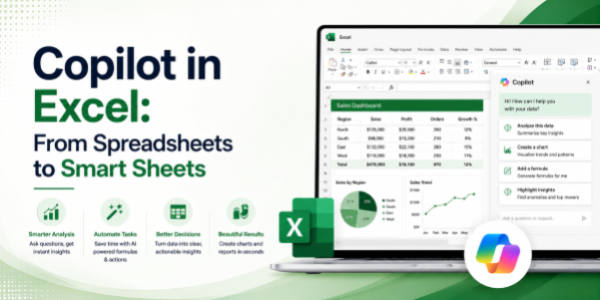
This 90-minute professional course offers a structured, application-focused introduction to Microsoft Copilot inside Excel, the AI assistant that is redefining how data is analysed, formatted, and reported across modern workplaces. Participants will gain practical, working knowledge of how Copilot interprets natural-language instructions to generate formulas, clean data, build pivot tables, create charts, and surface insights without manual effort. The session is anchored in real workplace scenarios such as financial analysis, sales reporting, HR analytics, and operational dashboards. Learners will leave with a clear mental model of when to use Copilot, how to prompt it effectively, and how to embed it into their day-to-day Excel workflow with confidence.
Why This Course?
Excel remains the single most widely used business application on the planet, and Copilot is now its biggest evolution in decades. However, organisations rolling out Copilot consistently report a significant gap between licence adoption and actual usage. Most users do not know what Copilot can do inside Excel, how to prompt it, or where it fits into their reporting workflow. This course closes that gap. It delivers a focused, practitioner-led walkthrough that converts unfamiliar AI capabilities into clear, repeatable spreadsheet habits, using the exact data, formulas, and reports learners already work with.
Why Now?
AI literacy is rapidly becoming a baseline professional expectation, comparable to how spreadsheet skills themselves became mandatory in the early 2000s. Enterprises are investing heavily in Copilot licences, and individual contributors who can extract genuine value from these tools are increasingly prioritised for promotions, project leadership, and visibility. Acting now offers a clear first-mover advantage: establish AI fluency in the most data-intensive tool in your stack, position yourself as a go-to analyst on your team, and stay ahead of the steep learning curve that will soon become a standard expectation.
Course Objectives:
Upon successful completion of this course, participants will be able to:
- Navigate the Copilot interface within Excel and understand its core capabilities and limitations.
- Apply natural-language prompts to clean, sort, transform, and standardise large datasets.
- Generate accurate Excel formulas, including lookups, conditionals, and aggregates, without manual syntax recall.
- Construct charts, pivot tables, and summarised views directly from prompt-based instructions.
- Identify trends, anomalies, and key insights using Copilot's built-in analysis features.
- Apply prompt-engineering best practices to ensure consistency, accuracy, and reusability across reports.
Target Audience?
- Mid-level and senior professionals across finance, sales, marketing, HR, and operations.
- Business analysts, data analysts, and consultants who rely on Excel as their core working tool.
- Managers and team leads are responsible for dashboards, reports, and recurring data reviews.
- Learning & Development teams are evaluating Copilot upskilling content for organisational rollout.
- Independent professionals and entrepreneurs who use Excel as their primary analytical environment.
Basic Knowledge:
- Functional familiarity with Microsoft Excel (workbooks, formulas, basic charts, pivot tables).
- Active access to a Microsoft 365 account with a Copilot licence is strongly recommended for live practice.
- No prior experience with artificial intelligence, machine learning, or programming is required.
- A general willingness to experiment with prompt-based interaction and adopt new ways of working.
Introduction to AI-Powered Excel
- Evolution of Excel from manual spreadsheets to AI-assisted analysis
- What Copilot can automate inside Excel
- Key capabilities and current limitations
- Real business applications across:
- Finance.
- Sales.
- HR.
- Marketing.
- Operations.
- Understanding human oversight vs AI assistance
Prompting Fundamentals for Excel Copilot
- Anatomy of a high-quality prompt
- Defining context, intent, and output format
- Prompt refinement strategies
- Ambiguous prompts vs precise prompts
- Common prompting mistakes in Excel workflows
Data Cleaning, Transformation & Preparation
- Removing duplicate values
- Identifying missing or inconsistent entries
- Standardising text, dates, and currency formats
- Splitting and merging columns
- Formatting datasets into structured Excel tables
- Preparing data for analysis and reporting
Formula Generation & Intelligent Calculations
- Formula generation using natural language
- Lookup functions:
- XLOOKUP.
- VLOOKUP.
- Conditional functions:
- IF.
- IFS.
- Aggregation functions:
- SUMIFS.
- COUNTIFS.
- AVERAGEIFS.
- Text and date calculations
- Formula troubleshooting and debugging
- Explaining existing formulas with Copilot
Charts, Pivot Tables & Smart Reporting
- Creating charts with natural-language instructions
- Building pivot tables automatically
- Summarising large datasets instantly
- Choosing appropriate visualisations
- Formatting reports for executive presentation
- Creating lightweight dashboards
AI-Assisted Insights & Trend Analysis
- Identifying trends and patterns
- Spotting anomalies and outliers
- Comparing business performance metrics
- AI-generated summaries for leadership reviews
- Rapid insight generation for decision-making
Best Practices, Governance & Workflow Integration
- Validating AI-generated outputs
- Avoiding inaccurate or misleading results
- Prompt consistency techniques
- Data governance and confidentiality considerations
- Human review and quality assurance
- Creating repeatable AI-enhanced workflows