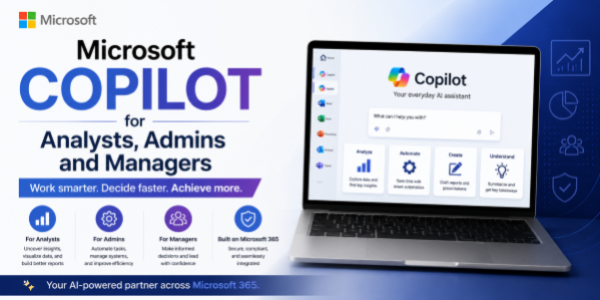
Microsoft Copilot for Analysts, Admins and Managers
About the Course:
Artificial Intelligence is transforming the modern workplace by improving efficiency, automating repetitive tasks, enhancing communication, and enabling smarter decision-making. Microsoft Copilot integrates AI directly into Microsoft 365 applications such as Excel, Word, Outlook, Teams, and PowerPoint, helping professionals streamline workflows and improve productivity.
This practical course is designed specifically for Analysts, Administrative Professionals, and Managers who want to leverage Microsoft Copilot to simplify daily operations, improve reporting, enhance collaboration, and optimize business processes.
Participants will learn how Microsoft Copilot can assist in data analysis, report generation, document creation, communication management, meeting coordination, workflow organization, presentation preparation, and productivity enhancement across Microsoft tools. The course focuses on practical use cases, real-world workflows, and ready-to-use prompts that professionals can immediately apply in their roles.
By the end of the session, participants will understand how to effectively integrate Microsoft Copilot into their daily work processes while improving productivity, accuracy, collaboration, and operational efficiency.
Course Objectives:
The objective of this course is to help participants understand and effectively use Microsoft Copilot to:
- Improve productivity and workflow efficiency.
- Automate repetitive administrative and analytical tasks.
- Generate reports, summaries, and presentations faster.
- Enhance communication and collaboration across teams.
- Support data analysis and decision-making processes.
- Improve meeting management and task coordination.
- Simplify document creation and information management.
- Use AI responsibly within professional workplace environments.
The course is designed to provide practical and hands-on knowledge that participants can directly apply in their day-to-day responsibilities.
Who is the Target Audience?
This course is ideal for:
- Business Analysts
- Data Analysts
- Administrative Professionals
- Office Managers
- Operations Managers
- Team Leads and Supervisors
- Executive Assistants
- Project Coordinators
- Corporate Professionals
- Department Managers
- Professionals using Microsoft 365 applications regularly
Basic Knowledge:
- No prior AI or technical background is required.n
Module 1: Introduction to Microsoft Copilot
- What is Microsoft Copilot?
- Understanding Generative AI in the workplace
- Overview of Microsoft 365 Copilot capabilities
- AI trends in business productivity and operations
- Understanding prompts and AI interactions
Module 2: Microsoft Copilot for Data Analysis and Reporting
- Using Copilot in Excel for data analysis
- Generating summaries, charts, and insights
- Simplifying report preparation workflows
- Assisting in business analysis and interpretation
- Creating executive summaries and dashboards
- AI-assisted analytical workflows
Module 3: Communication and Administrative Productivity
- Drafting professional emails in Outlook
- Creating meeting notes and summaries in Teams
- Managing schedules and task coordination
- Preparing administrative documents efficiently
- Improving communication and collaboration workflows
- Automating repetitive office tasks
Module 4: Productivity with Word, PowerPoint, and Teams
- Generating reports and business documents in Word
- Creating presentations and slide content in PowerPoint
- Summarizing meetings and discussions in Teams
- Organizing information and workflows efficiently
- AI-assisted productivity across Microsoft 365 tools
- Supporting day-to-day management activities
Module 5: Prompt Engineering for Workplace Productivity
- Writing effective prompts for business tasks
- Prompt templates for reporting and communication
- Improving AI-generated outputs for professional use
- Customizing prompts for different workflows
- Common mistakes and limitations to avoid
Module 6: Ethics, Security, and Future of AI at Work
- Responsible use of AI in organizations
- Data privacy and security considerations
- Human oversight and professional accountability
- Managing AI limitations and risks
- Future trends of AI in workplace productivity and business operations